I’m not sure from what version it started, but in Windows 11, the Disk Cleanup tool has been significantly improved and become much smarter.
The key is that it’s an official tool, so it won’t accidentally delete files, won’t have ads, won’t have pop-ups, won’t have background processes, or any unnecessary elements.
You can access the Disk Cleanup tool in Windows 11 by going to Settings > System > Storage > Temporary Files.
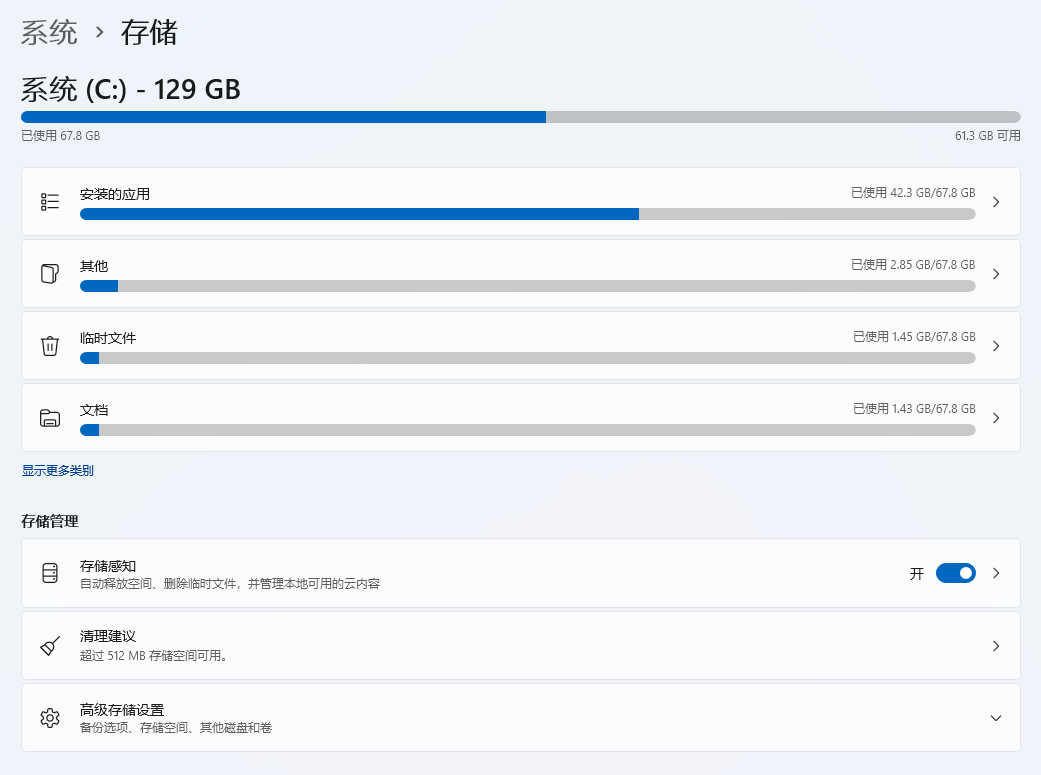
For ordinary users, simply selecting “Clean up” is sufficient; the system will provide suggestions based on your usage.
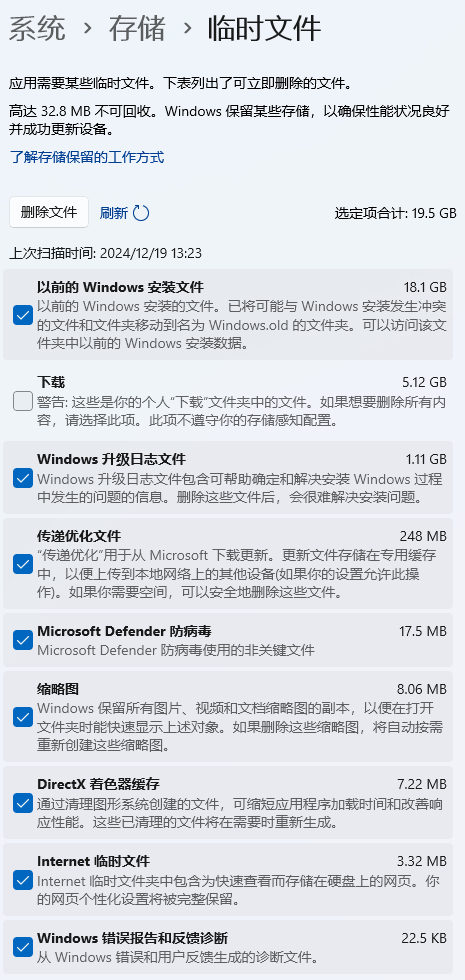
As a developer, I have many temporary files on my disk, so I choose “Temporary Files,” which contains items like Visual Studio temporary files and Windows Update temporary files, etc.
Comments
Comments will load when you scroll here.